
API and Webhook Integrations – Automate Your Access Control with SnapKey
Overview of SnapKey's REST API and webhooks, with links to the developer documentation. Perfect for developers who want to automate access control and integrate with existing systems.
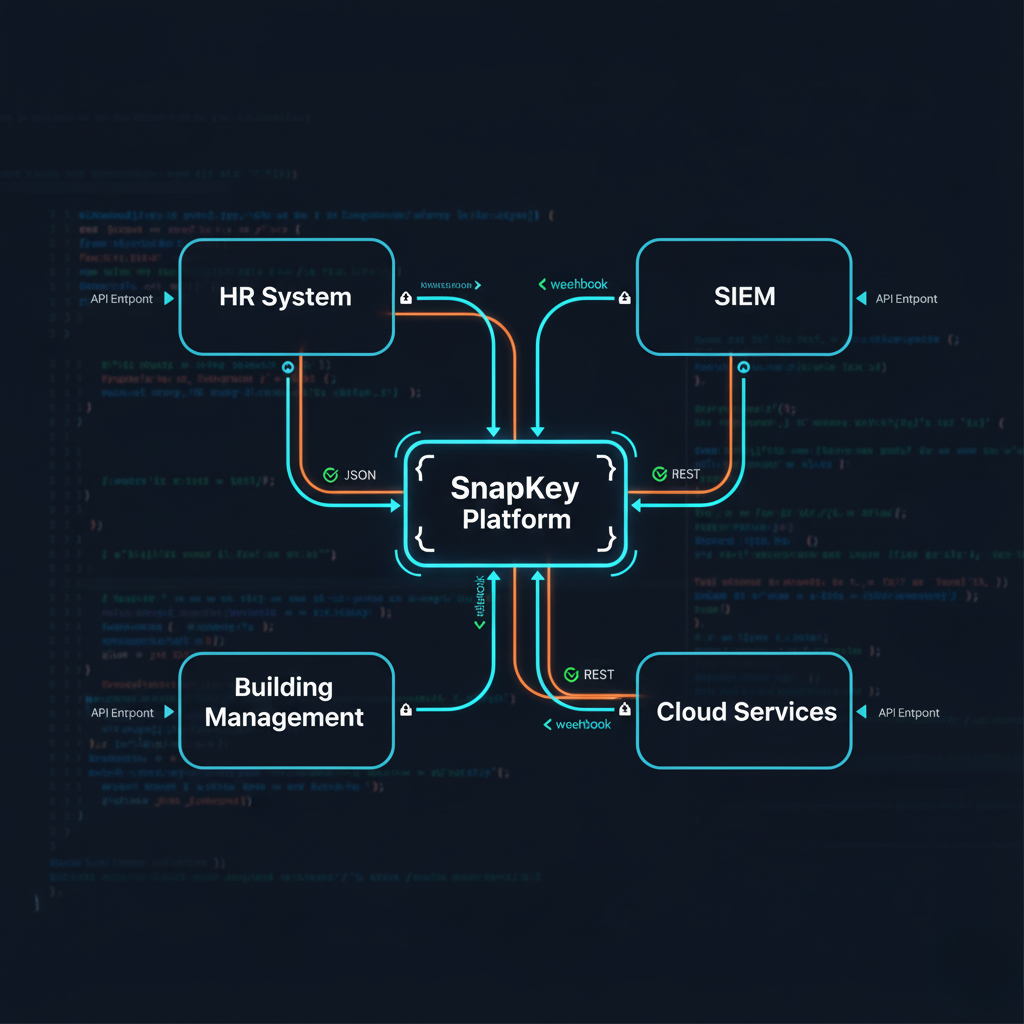
SnapKey offers a REST API and webhooks to integrate access control with your existing systems. This guide is written for developers and IT architects who want to automate access management.
Integration Options
REST API
API for people, keys, locks, access events and webhooks
Webhooks
Each event pushed to your URL as soon as SnapKey records it
API keys
Bearer tokens with explicit scopes, created in the dashboard
Export
Logs and reports exported as CSV
REST API Overview
The SnapKey Public API is a REST API at https://api.snapkey.dk/public/v1. It carries two flows:
- Your system → SnapKey: create and update people, and issue, change and revoke keys.
- SnapKey → your system: read the door events with
GET /events, or have them pushed to you as webhooks.
This page is an overview. The full reference, with every endpoint, request and response, is in the SnapKey developer documentation.
Authentication
Every request carries a bearer token:
Authorization: Bearer sk_live_…
API keys are created in the SnapKey dashboard under Developer → API keys. The full token is shown once, at creation. Each key carries an explicit list of scopes and expires after one year by default (at most two). A key only sees its own location and the departments below it. See Authentication & limits.
What the API covers
| Scope | Gives access to |
|---|---|
catalog:read |
GET /locks, GET /locks/{id}, GET /security_groups |
people:read / people:write |
/people |
keys:read / keys:write |
/keys and /invitations |
locks:control |
POST /locks/{id}/unlock – remote locks on the API key's allowlist only |
events:read |
GET /events |
webhooks:manage |
/webhooks |
Issuing a key with POST /keys sends the person a setup link by SMS, e-mail or both. The key appears in GET /keys once they activate the link. See Getting started.
The OpenAPI file for Postman or Insomnia is at https://api.snapkey.dk/docs/openapi.json.
Webhooks
Create a subscription with POST /webhooks, or in the dashboard under Developer → Webhooks. The URL must be https:// on a public host. SnapKey generates the signing secret and returns it once.
Available Events
Access & Door Events:
├─ access.granted           # A door was opened
├─ access.denied            # A door refused a key
├─ door.closed              # A door was closed
├─ door.left_open           # Door not confirmed closed
└─ unlock.failed            # A remote unlock was never confirmed

Key Events:
├─ key.issued               # Key invitation sent
├─ key.activated            # Key activated
└─ key.revoked              # Key returned or deleted

Lock Events:
├─ lock.online              # Remote lock became reachable
└─ lock.offline             # Remote lock stopped being reachable

Door Contact & Hold Events (requires a SnapGate door contact / exit button):
├─ door.opened              # Door contact reported open
├─ door.forced              # Opened with no exit press or unlock
├─ door.exit_button         # Exit button pressed (input 2)
├─ lock.hold_open.started   # Hold relay switched on
├─ lock.hold_open.ended     # Hold relay switched off
└─ lock.hold_open.failed    # Hold could not be written or verified

Person Events:
├─ person.created           # Person created
├─ person.updated           # Person details changed
└─ person.deleted           # Person deleted
The payload of each event is in Webhooks.
Verifying a delivery
Each delivery carries a signature header:
X-SnapKey-Signature: t=<unix seconds>,v1=<hex HMAC-SHA256(secret, "{t}.{raw body}")>
Compute HMAC-SHA256 over "{t}.{raw body}" with your subscription secret, compare it with v1 in constant time, and reject a t more than 300 seconds from your own clock. Ready-made code for Node.js, Python, C# and PHP is in Webhooks.
Answer with a 2xx within 10 seconds. A failed delivery is retried after 1 m, 5 m, 30 m, 2 h, 6 h and 24 h. Delivery is at-least-once and unordered, so dedupe on data.id together with type.
Typical integrations
- HR system: create the person and issue keys when someone starts; revoke with
DELETE /keys/{id}when they leave. - Contractors: issue a key with a validity window; the person gets a setup link by SMS or e-mail.
- Security monitoring: subscribe to
access.deniedandunlock.failed, and replay history fromGET /eventsafter a gap. - Building and visitor systems: react to
access.grantedin your own system.
Rate Limits
600 requests per minute per API key. POST /keys is limited to 30 per minute, because every call sends an SMS or e-mail. Exceeding a limit answers 429 with a Retry-After header. POST /people, POST /keys and POST /webhooks accept an Idempotency-Key header, so a retry after a timeout does not create a duplicate. See Authentication & limits.
FAQ
Is API access included in all licenses?
The Public API is switched on per account. Contact us to have it enabled for yours.
How fast are webhooks delivered?
SnapKey sends each event as soon as it records it. An opening on an iLOQ lock is recorded when the lock system reports it, which can be later than the opening itself. A failed delivery is retried after 1 m, 5 m, 30 m, 2 h, 6 h and 24 h.
Can I test the API without affecting production?
There is no separate sandbox. POST /webhooks/{id}/ping sends a test delivery so you can check your endpoint and your signature check, and an API key with read-only scopes lets you try the API without changing anything.
Contact Us
Need help getting started with the SnapKey API? Our developer team is ready to help.
Related articles
CER Directive – Complete Guide to Critical Infrastructure Compliance
Understand the CER Directive (EU 2022/2557) and learn how SnapKey helps secure your critical infrastructure with advanced access control and compliance.
Access Control for District Heating – Secure Access to Substations and Cabinets
Digital access control for district heating companies. Replace lockboxes with traceable access to heat substations, exchanger stations, and technical rooms.
Access Control for Electricity Grid and Substations – CER & NIS2 Ready
Secure access to transformer stations, grid components, and technical rooms. Meet CER and NIS2 with battery-free, offline access control from SnapKey.